
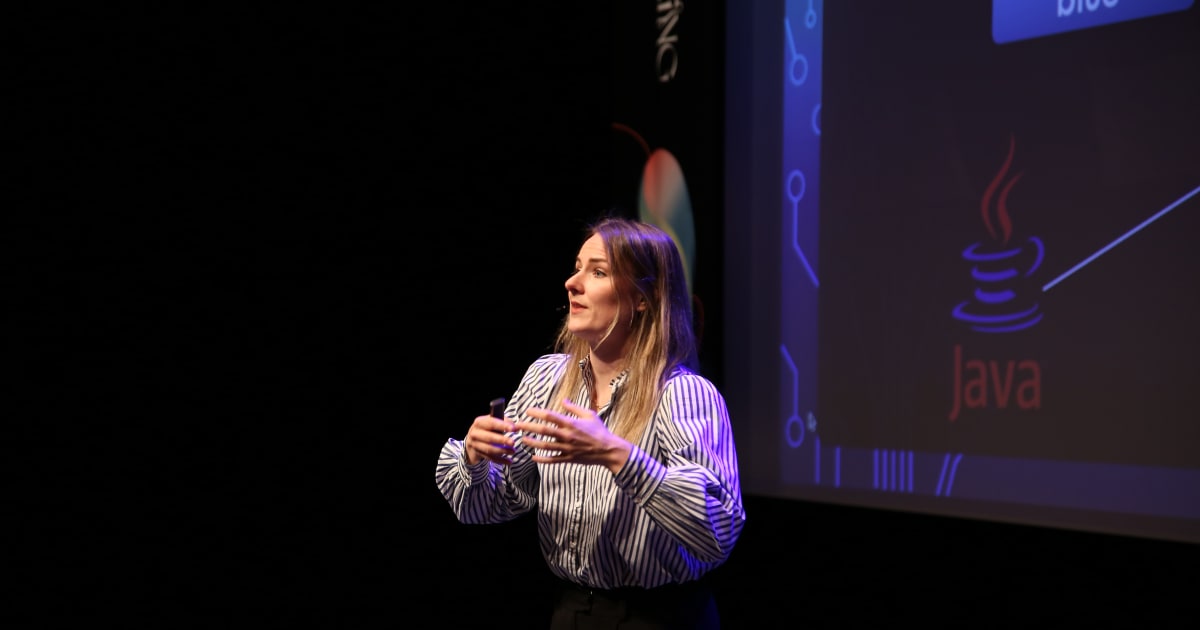
Ever wonder why some programming concepts click immediately while others take weeks to sink in? Or why you can't remember that syntax you googled yesterday, even though you've looked it up five times? Simone de Gijt, a Java/Kotlin developer and former speech-language therapist, breaks down the neuroscience behind learning new programming languages in this engaging talk from DDD Europe.
The Three Memory Systems
Your brain processes information through three distinct storage systems, each working like different computer components:
Sensory Memory: The Hidden Folder Like dot folders in your project directory, sensory memory captures everything your senses detect, even things you're not actively paying attention to. You can see your neighbour's shirt color without looking directly at it because that information is already stored in your iconic memory (visual sensory storage).
Practical tip: Before diving into code or documentation, glance over the entire page first. This gives your brain valuable context, just like scanning chapter titles before reading a scientific paper.
Short-Term Memory: Your RAM
This is where Dory from Finding Nemo lives. Your short-term memory can only hold 2-6 chunks of information for about 30 seconds each. A "chunk" can be a single letter, a word, or an entire concept, which is why boolean isActive = true is easier to remember than String oaehtrnb.
Why this matters for code: Abbreviations aren't just unclear, they waste precious chunk capacity. Design patterns help by allowing you to chunk related concepts together (like always starting boolean variables with "is").
Long-Term Memory: Your Hard Disk Here's the mind-blowing part: research shows you never actually forget anything stored in long-term memory. You just fail to retrieve it. Getting information into long-term storage requires encoding and consolidation, like creating a path through an untouched forest. The first time through, you're pushing branches aside. Only after repeated visits does the path become clear and easy to follow.
The Missing Link: Working Memory
Working memory is your brain's processing engine, and it's subtly different from short-term storage. Short-term memory holds information passively; working memory is what you do with that information actively. Think of short-term memory as RAM holding data, and working memory as the CPU running processes on it.
The catch: it can only handle 2-6 chunks at a time. But unlike short-term memory, where chunks simply sit waiting, working memory is juggling relationships between them. When you're debugging, you're not just holding variable values in mind, you're actively reasoning about how they interact. That's working memory under load.
Try to process a 7th chunk? Either it doesn't get processed, or you drop something you were already working on.
This explains that wall of frustration when learning complex concepts: you've literally run out of processing capacity. Be kind to yourself and others when this happens.
How Memory Actually Works: The Network Structure
Your brain stores information as a massive mind map connecting words, concepts, visualisations, smells, and feelings. Learning "events" is easier if you already know about "aggregates," "commands," and "domain models" because you have existing hooks to attach the new concept to.
The power of multi-sensory learning: Don't just read about concepts, create visualisations for them, even if they're abstract. Your brain doesn't care if the visualisation is "real", if you explicitly connect a Java record to a file behind bars (data captured and immutable), that connection becomes a retrieval hook.
Learning From Children: Intuitive Strategies
Kids learn languages naturally through three key practices we can apply to programming:
- Parroting (Active Application): Don't just copy-paste from Stack Overflow. Type it out yourself. The act of retyping forces your brain to process the code, creating stronger pathways.
- Trying It Everywhere: Read multiple blogs and articles to get different perspectives on the same concept. Don't rely on a single source, it's coloured by that author's viewpoint.
- Getting Feedback: Find a mentor or be one. Correct course early before false pathways become consolidated. It's much harder to unlearn than to learn correctly the first time.
- Starting Simple: Don't jump straight to event sourcing when learning DDD. Start with entities and value objects. Build a hierarchical learning structure, understand the foundations before tackling advanced concepts.
Building Highways: Automating Retrieval
The ultimate goal is creating "highways": automated retrieval pathways that bypass working memory entirely. When syntax and concepts are automated, you free up mental chunks for higher-level thinking and creativity.
The interruption cost: Developers spend 20% of their time on interruptions (that's an entire workday per week). Each interruption takes about 25 minutes to recover from. When you automate knowledge retrieval, you don't need to break flow by googling, reducing interruptions and maintaining focus.
Practical Learning Techniques
Think Before You Search: Before googling, try to recall what you know. Take a few steps down that path yourself. This strengthens existing pathways even if you eventually need to look it up.
Frequency Over Duration: Like Duolingo's 3-minute daily lessons, spend shorter periods learning consistently rather than cramming. Attending a conference then doing nothing with the knowledge wastes both time and money, those pathways will overgrow.
Use Flashcards: Digital tools like Anki and Quizlet offer public card decks for many technologies. Creating your own cards (even digitally) strengthens learning through active engagement.
Create a Dictionary: Maintain a personal knowledge base documenting concepts, pros/cons, use cases, and anti-patterns. Review and update it during dedicated study time.
Schedule Study Time: Set aside 30 minutes weekly at a consistent time to learn new concepts theoretically. Then spend the following week actively looking for ways to apply them, even if you don't actually implement them.
Explain to Others: If you can teach it, you truly understand it. Share knowledge through blogs, team sessions, or presentations.
Giving and Receiving Feedback
Avoid the Curse of Expertise: After years in the field, we forget what it's like to be a beginner. That "seventh chunk" that someone can't process isn't a sign they're not listening, it's neurological reality.
Indirect Feedback: Instead of saying "you're wrong," show correct examples: "Here's how I approached that problem." Point out issues without immediately providing solutions, letting learners strengthen their own pathways.
Key Takeaways
- Use all your senses when learning: read, write, speak, and visualise
- Actively apply what you learn, no passive copy-pasting
- Learn together and find people who can correct you
- Automate retrieval through consistent practice to free up mental capacity
Understanding how your brain works transforms learning from frustrating to fascinating. You're not bad at learning new languages, you just need to work with your neurology, not against it.
Watch the full talk (50 minutes): How Your Brain Learns New Programming Languages. Presented by Simone de Gijt at DDD Europe.